
Search for a country or region to view available eSIM plans.
Explore affordable travel eSIM plans for destinations around the world.




































Visiting more than one country? Browse regional eSIM plans designed for wider coverage with one purchase.
Everything you need for seamless global connectivity
Receive your eSIM QR code immediately after purchase. Activate within seconds and start using data right away.
Data plans available in 190+ countries and regions. One eSIM, multiple destinations. Travel worry-free.
No contracts and no hidden roaming fees. Get affordable global data with clear, upfront pricing.

Manage your eSIMs, view your purchase history and add top-ups on eligible plans, all in one place.
You do not need SimPortal to purchase, install or use your eSIM. SimPortal is completely optional and simply gives you an easier way to manage your eSIMs after purchase.
Quick answers to the most common questions about travel eSIMs, installation, compatibility, and using data abroad.
An eSIM is a digital SIM card built into your phone. Instead of inserting a physical SIM, you install a mobile plan by scanning a QR code or tapping an installation link.
This makes it quick and easy to set up mobile data before or during a trip.
Most travel eSIMs are data-only, which allows travellers to stay connected at much lower cost than traditional international roaming.
While they do not usually include standard calls or SMS text messages, they support messaging, voice calls, and video calls through popular apps such as WhatsApp, Telegram, FaceTime, and similar services.
Most modern iPhones and many Android phones also support dual SIM, meaning you can often keep your normal SIM active for calls and texts while using your travel eSIM for mobile data.
After purchase, your installation instructions will appear on the order confirmation screen, and they will also be sent to your email.
If you install from the order confirmation page, you may briefly need to wait for your eSIM to complete provisioning. This is often instant, but in some cases it may take up to about one minute. The confirmation page automatically refreshes while waiting, and your installation details will appear as soon as they are ready.
In most cases, installation simply involves scanning a QR code or tapping an installation link.
You can also follow our step-by-step guides:
A quick way to check is to dial *#06# on your phone. If your device displays an EID number, it usually supports eSIM. If you only see IMEI numbers and no EID, your device may not support eSIM.
Compatibility can vary by model and region, so you should also confirm using your device settings or manufacturer information.
You can check our dedicated guides here:
Yes. You can install the Simpal App directly onto your phone or tablet. Simpal uses Progressive Web App (PWA) technology, so you do not need to download it from an app store. Once installed, Simpal appears on your Home Screen and opens like a regular app.
You can use the app to buy eSIMs, manage your existing eSIMs, check your remaining data and access eligible top-ups.
Android: tap Install Simpal App above and follow your browser's installation prompt. If your browser does not offer an automatic install prompt, open simpal.org/app and use your browser's install or Add to Home Screen option.
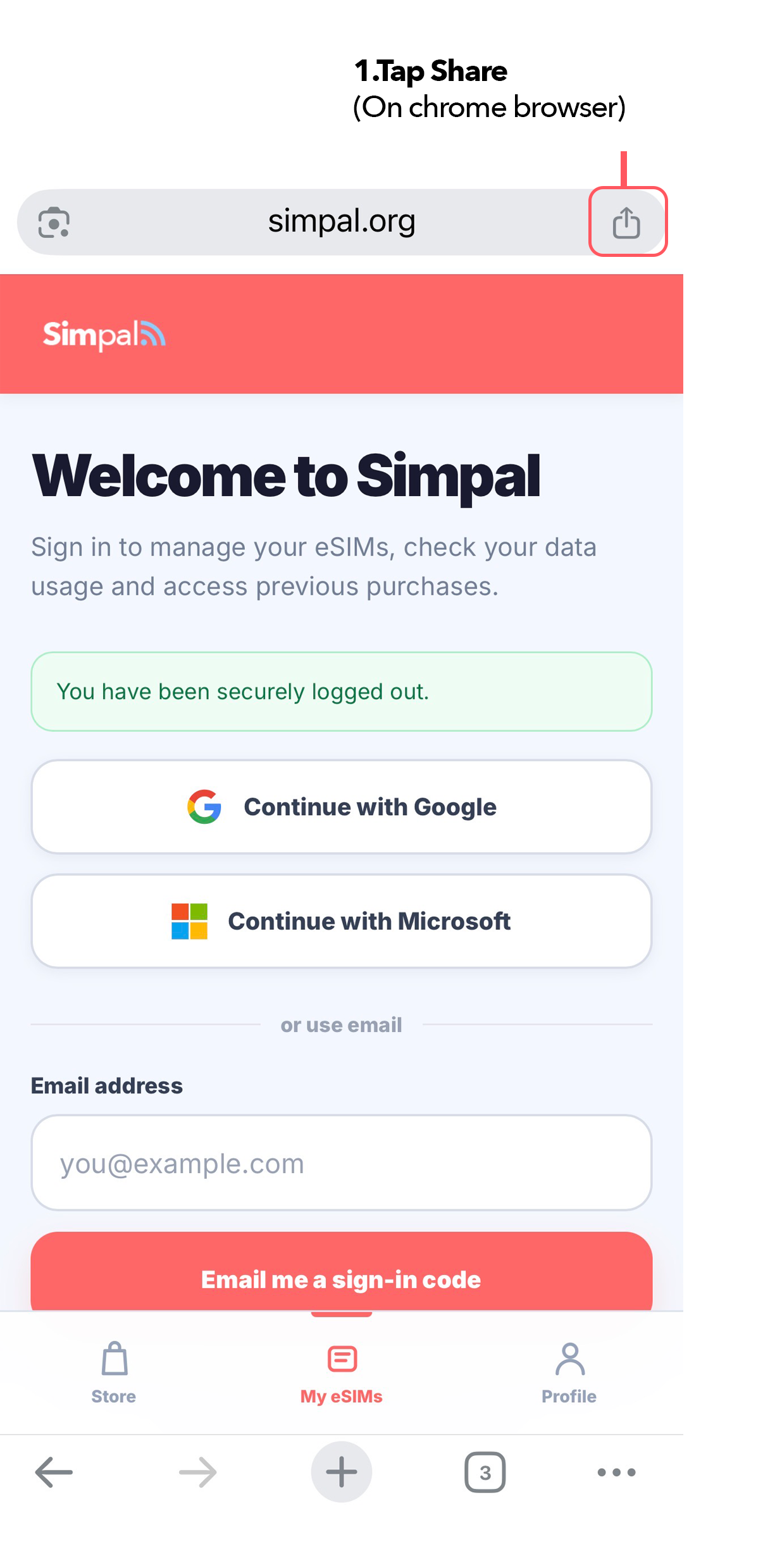
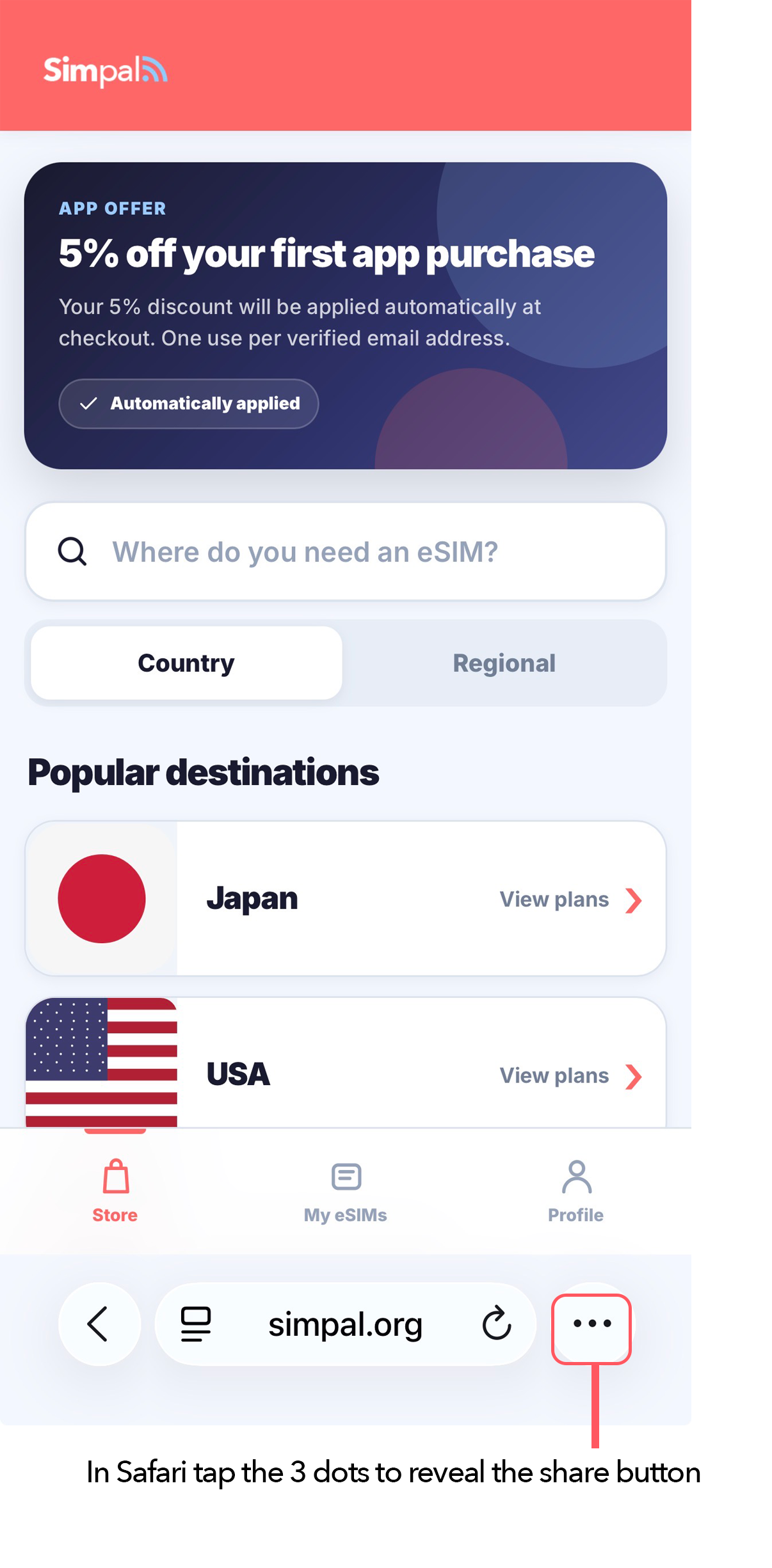
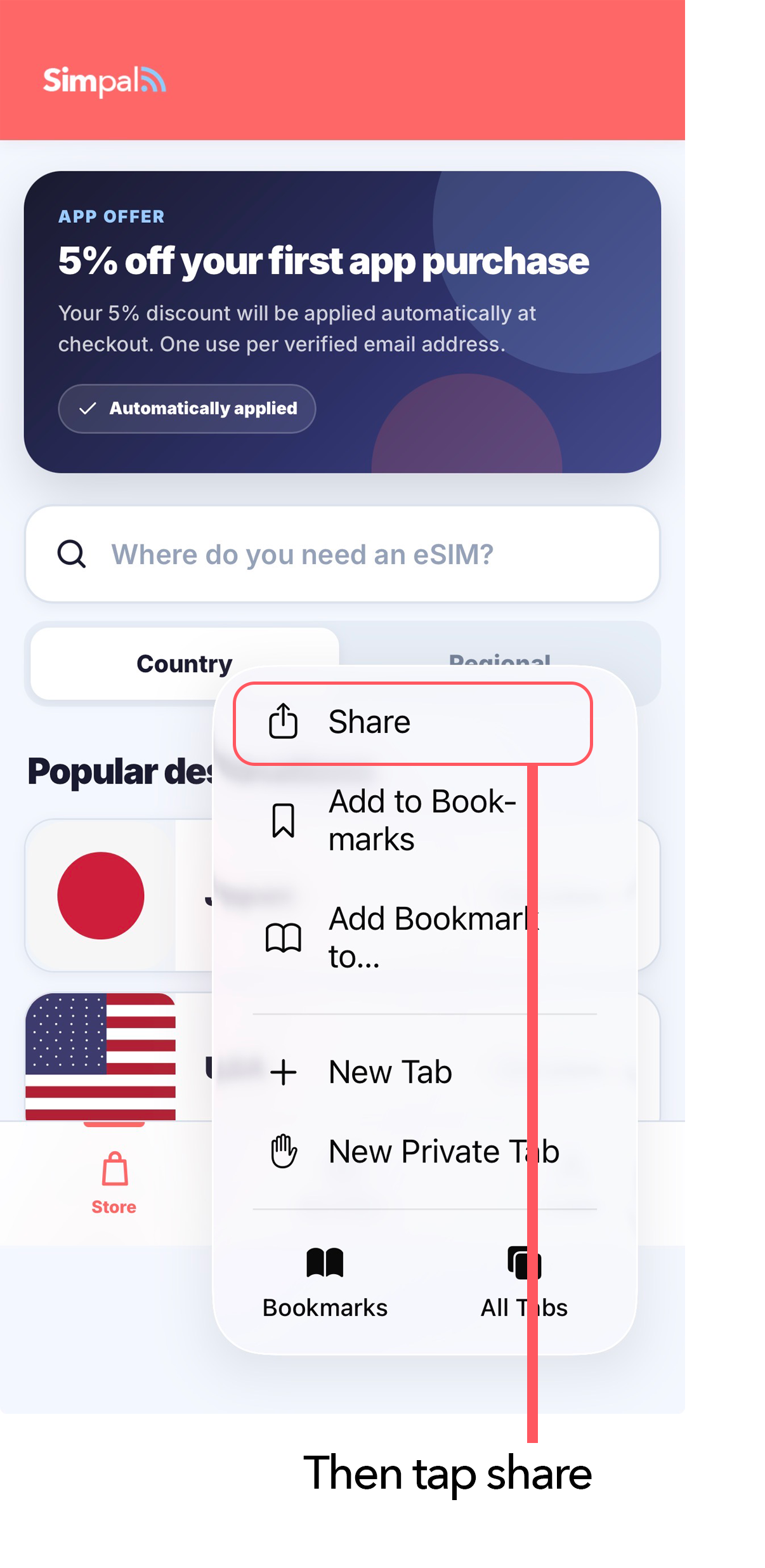
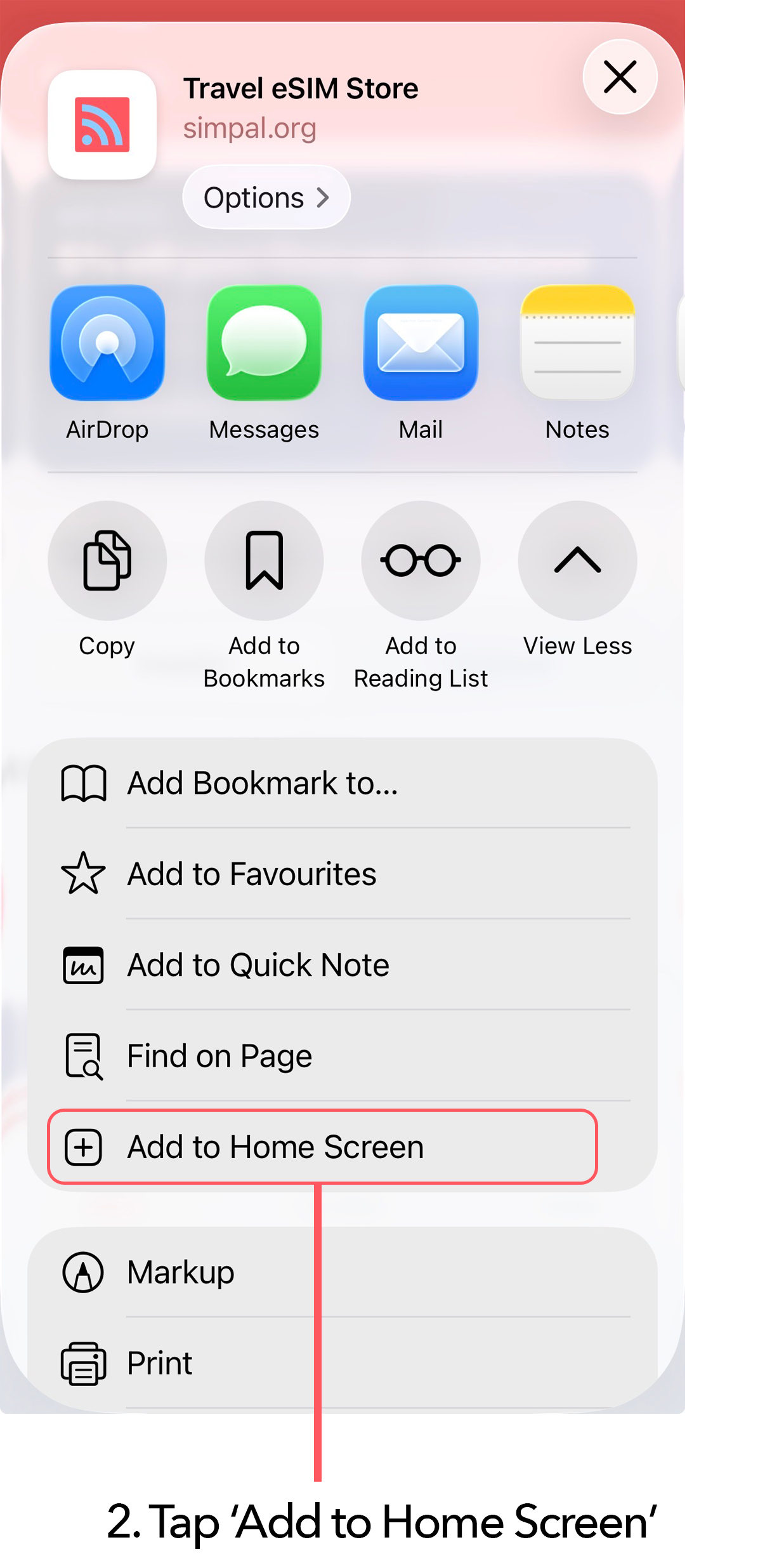
iPhone or iPad: open simpal.org/app in Safari or Chrome, then follow the steps below.
The easiest ways to check your Simpal eSIM data usage are through the Simpal App or SimPortal. Both let you manage your Simpal eSIMs and view available usage information in one place.
SimPortal does not require a password. Sign in using the same email address you used for your Simpal purchase, or use Google or Microsoft sign-in. The Simpal App uses the same Simpal account and also gives you quick access to your eSIMs, usage and eligible top-ups.
Alternatively, you can check data usage directly in your phone's settings:
iPhone (iOS)
Samsung Galaxy
Google Pixel / Stock Android
For the simplest ongoing access to your Simpal eSIM usage, use the Simpal App or sign in to SimPortal.

Add Simpal to your Home Screen for quick access to your eSIMs, data usage, support and travel tools.